Contacting Patients & Log Action
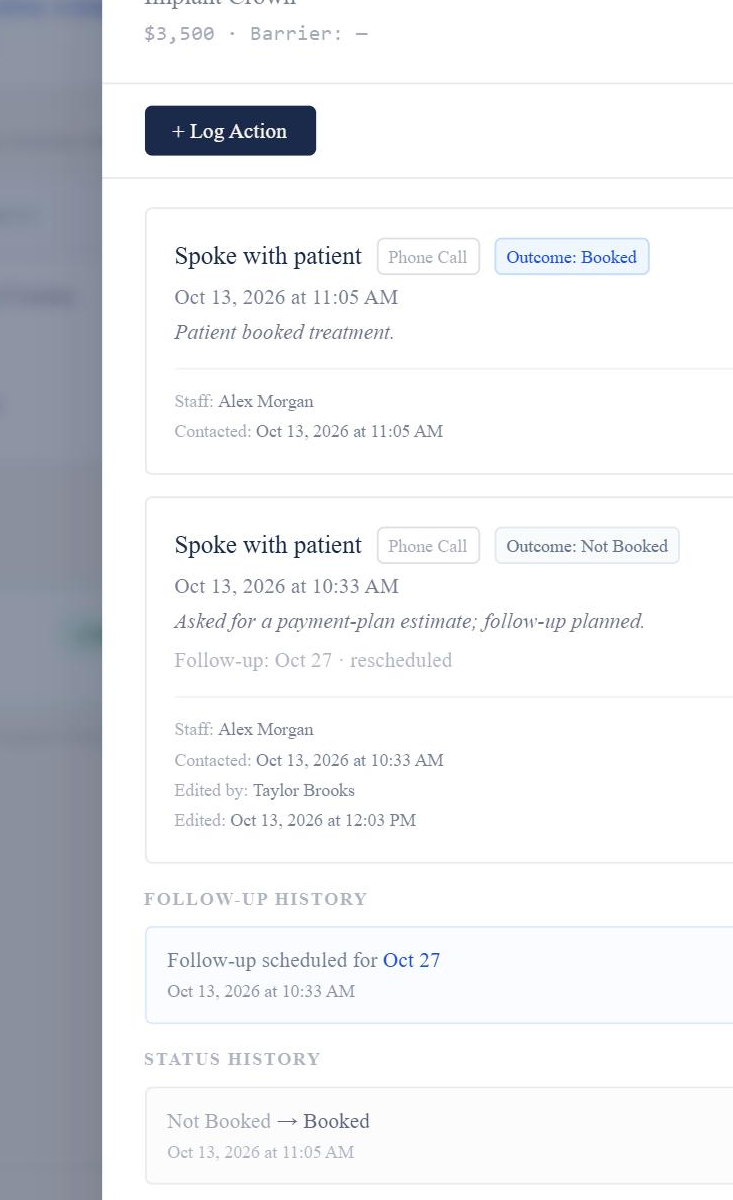
Where can I see everything that has happened with this treatment?
Open History for the treatment plan to see the activity recorded for it.
History shows logged actions with their Action Type, Contact Result, Treatment Outcome, notes and staff member, along with follow-ups and changes to the treatment’s status, barrier, Long-Term Hold and No Further Follow-Up.
Good to know
- History shows the recorded activity for that treatment plan. If the same treatment appears in a later import, earlier activity stays with the earlier report’s treatment plan.
- Existing logged actions can also be edited from History in some parts of Markwell.