Contacting Patients & Log Action
What should I record after contacting a patient?
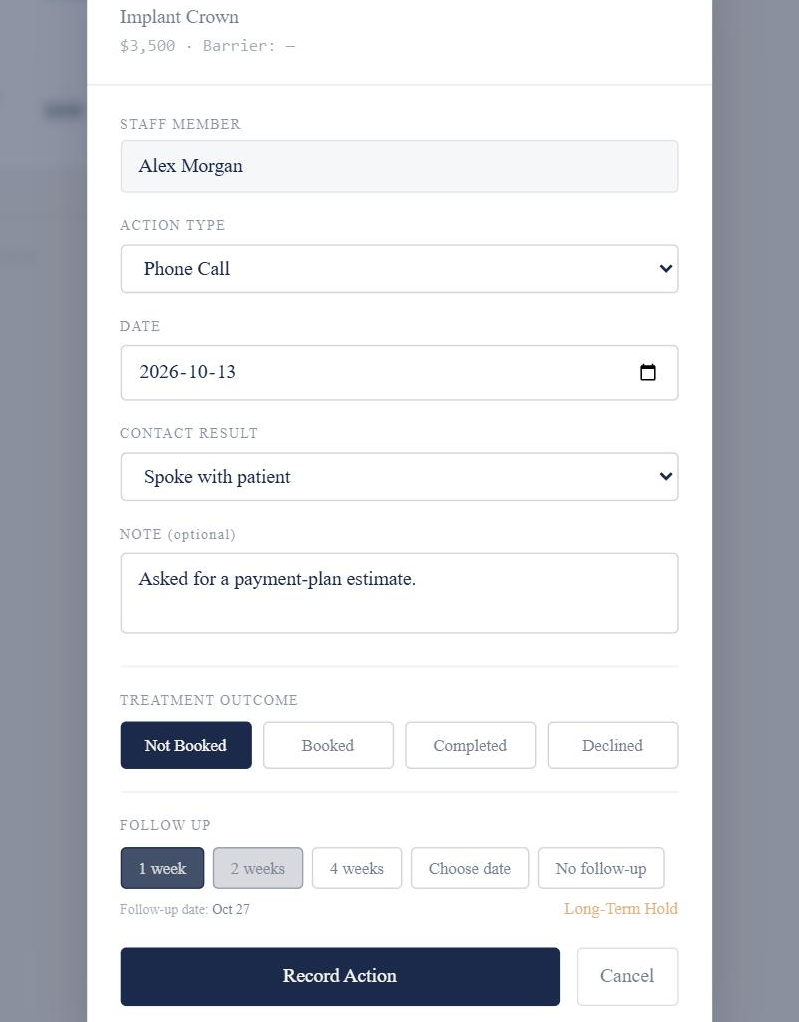
Record how you contacted the patient, what happened, where the treatment now stands and the next step.
How it works
- Choose the Action Type: how the contact happened.
- Choose the Contact Result: what happened. It starts as No answer, so check it before saving.
- Set the Treatment Outcome: Not Booked, Booked, Completed or Declined.
- If the treatment is still Not Booked, choose the next follow-up.
- Add a short note if it’s useful, then select Record Action.
Good to know
- The Staff Member is filled in automatically from the signed-in user.