Importing Treatment Plans
What happens after I select my CSV file?
Markwell reads the file and prepares the treatment plans for review before anything is saved.
How it works
- Markwell reads the CSV file.
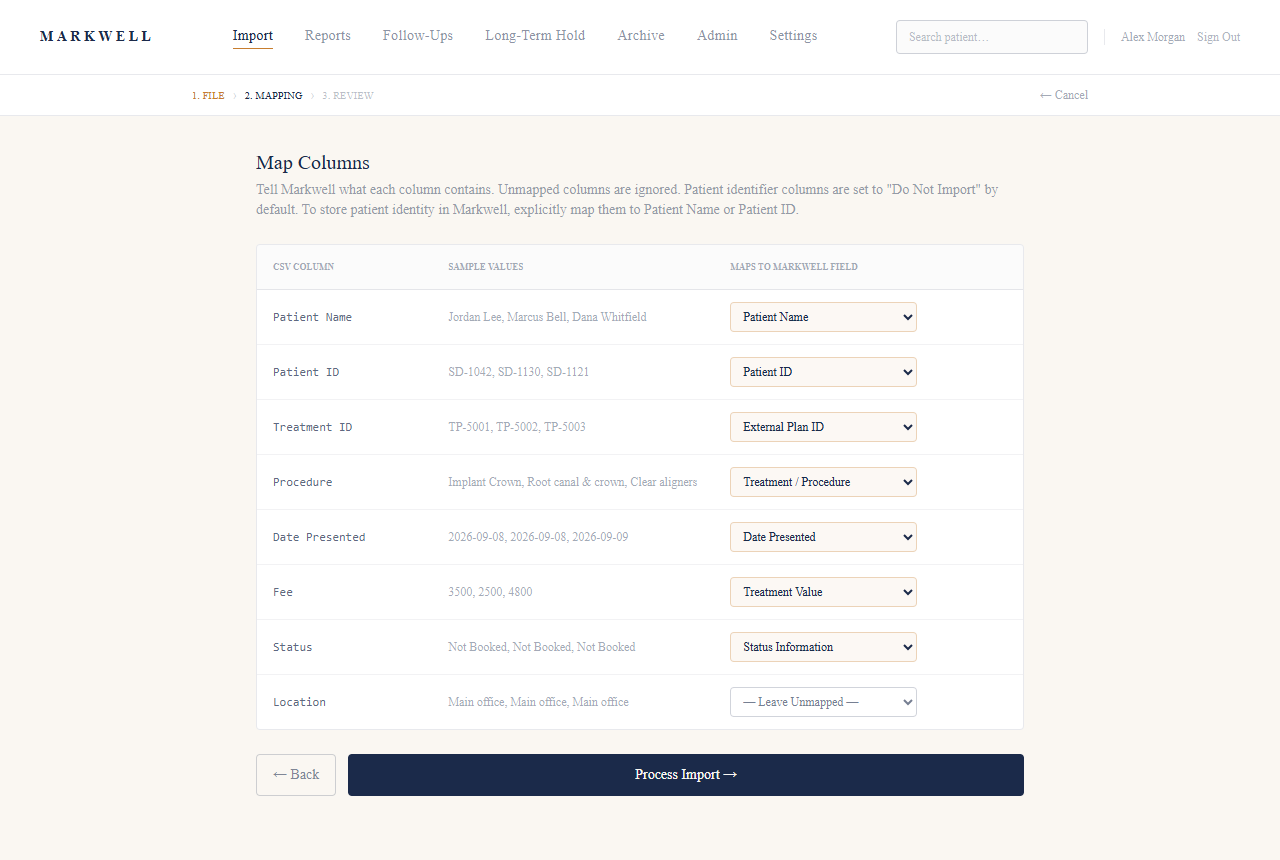
- If Markwell recognizes the file’s structure, it prepares the treatment plans for review. If not, staff use Column Mapping to match the CSV’s columns to Markwell’s fields first.
- Markwell shows the treatment that needs review, and lists any rows it couldn’t process.
- Staff review the treatment information and statuses, then complete the final import confirmation.
- After a successful import, Markwell takes you to the newly imported treatment in Reports.
Good to know
- Nothing is saved as a confirmed import until staff complete the final import confirmation.
- Not every CSV is recognized automatically. Column Mapping is there for files that aren’t.
- Patient identifier columns (such as Patient Name or Patient ID) are set to Do Not Import by default. Staff can explicitly map them if the practice wants to store patient identity in Markwell.