Long-Term Hold
How do I move treatment to Long-Term Hold?
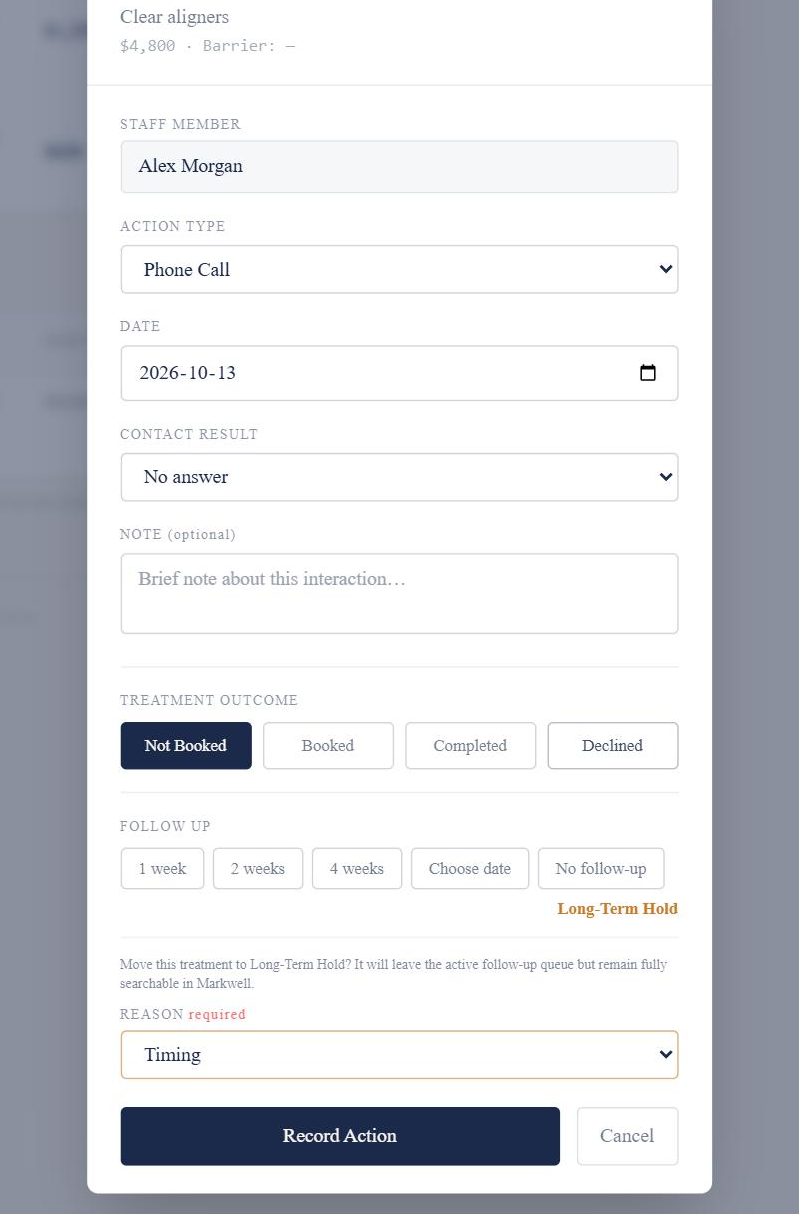
Use Log Action, choose Long-Term Hold and select a Hold Reason.
The treatment moves to the Long-Term Hold page. Choosing Long-Term Hold means no short-term follow-up is scheduled in the same action.
How it works
- Open Log Action for the Not Booked treatment.
- Choose Long-Term Hold.
- Select a Hold Reason.
- Select Record Action.
Good to know
- A Hold Reason is required.
- Long-Term Hold is available for Not Booked treatment that doesn’t already have another final destination.